 manyframe
Make an AI story with a cast worth following.
A tiny drama. A strange adventure. A next episode. Turn your premise into a short vertical film with an editable cast, connected scenes and a story you can continue.
3 or 5 scenes · Approximately 15 or 25 seconds · 9:16
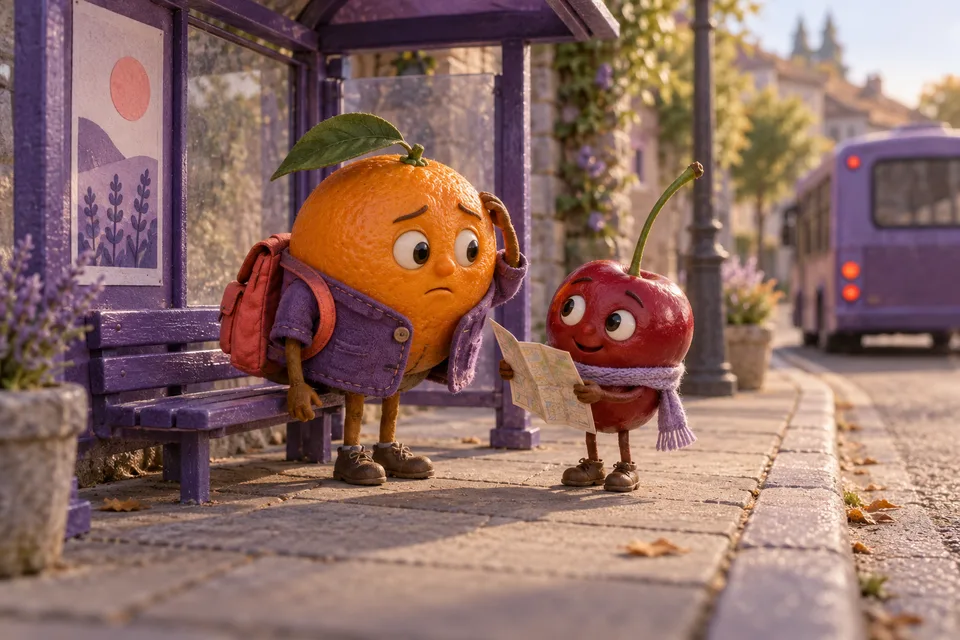
Start with a premise. Give it a cast.
Describe what happens, who it happens to, and where. Choose three scenes for a quick turn or five for a little more room. You can make a story with people, animals or imagined characters. Bring optional photographs, a logo and product placement into the brief.
The storyboard is editable: title, story bible, scene prompts, animation directions and ending states. Keep the idea you like and change the beats that need work before generating the visuals.
Three ways into the story
- Family drama
- Big feelings, family secrets and a reveal.
- Playful revenge
- A wronged character gets a playful comeback.
- Absurd adventure
- A strange little quest that keeps getting stranger.
The next scene starts where the last one ends.
A story needs more than a collection of good-looking shots.
Your story bible records the cast, appearance, setting and visual rules. For each next scene, the actual last frame of the previous generated clip becomes the starting reference. Review those transitions for faces, clothing, props and position.
Once a story is complete, start a continuation from its saved project. The next episode inherits the cast, style, setting, story bible and ending frame, so you can write what happens next from the same world.
These references guide continuity; generative models can still change details. The frame and animation checkpoints give you a place to inspect the result.
Direct it one decision at a time
Set the story
Add the premise, cast, setting and style. Choose three or five scenes and optional references or product placement.
Review the storyboard
Edit the story bible, scene prompts and endings. Optional AI storyboard writing is a separate text-model charge.
Approve the frames
Review the image quote and generated frames. Check recurring characters, the setting and product details before animation.
Animate and continue
Approve the animation stage separately. Review the connected film, download its assets and start a next episode from the completed story.
A short film. The pieces behind it.
The completed story keeps its scene assets with the combined delivery, so you can review the film and reuse the work.
- The film
- One vertical story
A combined 9:16 film, approximately 15 seconds for three scenes or 25 seconds for five.
- The handoff
- Cover + caption
A cover image and caption alongside the finished film, ready for your final review.
- The source
- Scene assets + ZIP
Individual scene assets and a downloadable bundle, saved with the story project.
Dialogue and sound effects depend on the selected video model. An uploaded soundtrack replaces the scene audio; choose music you can use for your intended publication.
Before your first episode
Still curious? Browse all FAQs
Do I need photographs or a product to create a story?
No. A premise, cast and setting are enough to start. Photographs, a logo and product placement are optional references when the story calls for them.
Can I edit the storyboard myself?
Yes. You can edit the story bible, scene prompts, animation directions and ending states. Writing or rewriting the storyboard with AI is optional and has a separate text-model charge.
How does a story continuation work?
Start from a completed story. Its cast, style, setting, story bible and final frame carry into the continuation. Review the inherited details and new scene plan before approving generation.
Are dialogue and sound effects included?
They depend on the selected video model and its supported audio capabilities. Uploading your own soundtrack replaces scene audio, including any generated dialogue or sound effects.
When do I approve the generation cost?
Frame and animation costs are shown for approval in the project before their generation stages. Optional AI storyboard writing is charged separately through the selected text model.


Give your idea a first episode.
Open AI Stories, introduce the cast and shape the storyboard before generating the film.